iMovie has some fun features…
[video:youtube:5LIIsjPYxKU]rblog
Mac OS X: Can I kick it?????
“….The file system directory in any of these disk image formats can become corrupted. This is usually as the result of an improper shutdown….”
http://www.thexlab.com/faqs/fixfilevault.html
Improper shutdown my ass!!! Yesterday evening I started my rsync-script which moved about 50 GB of flac-files from our MacBook to the external disk, which I have done many times before. Also knowing that after a period of inactivty after the script have finished the Mac would do a shutdown. No problem at all. So this morning I got up and wanted to unmount the disk, but for some reason it would not accept my well known password. After a few tries I rebooted the machine and voila…no account other than the guest account was available.
Did some research during the day and realized that I would maybe have been able to get around the problem if logging in using another account and then enable root…but…using the guest account, seems impossible. Fu¤%!!
Luckily I do not think we have lost much data, but am I really pissed – YES!!! We have bought according to my standards an expensive computer with an operating system as expensive as the hardware, and then I find info saying “…disk image formats can become corrupted…”. If it had been my Linux-distro which I have costed me…zero…I could have managed, but OS X…aaaaarrrghhhh!!!
So complete reinstall seems to be the only way…shoot!!!
At my doctors office
Just had to take a picture of this poster providing information about flu, where someone had added a small piece of information “Look up!! Youtube Chemitrails!!!” Conspiracy theories all over. Better “Look to your orb for the warning”
And the old man, down by the river
Well he walks up and he walks on down
To the spaceship that’s parked at your doorstep
And it’s waiting to take you away now
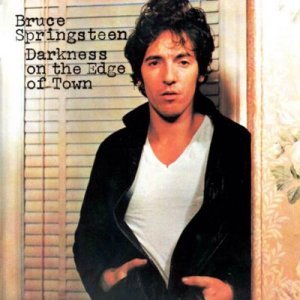
Bruce Springsteen – Darkness On The Edge Of Town
More than one year has passed since the last time I did update this category. Anyhow, now back on track again. First cd this year, a must have in my collection, Darkness On The Edge Of Town
Groovy XML-script that is copying elements and changing attribute values
Based on all the good examples provided by http://groovy.codehaus.org/ I’v managed to create a Groovy script that do
- Find all elements with a name attribute prefixed with ‘DEV_’
- For all found elements, search for element with identical name attribute, but without prefix ‘DEV_’. If element found, remove it
- Create a copy of the element with the ‘DEV_’ prefix and then
- Remove the prefix
- Change the value of the attribute driver
- Add the copy to the list of cars
- Write the updated XML to file
Click more to view the script. Sorry for the limited display of code in my blog.
[teaserbreak]
import groovy.xml.DOMBuilder
import groovy.xml.dom.DOMCategory
import groovy.xml.dom.DOMUtil
class CarExamples {
static def CAR_RECORDS = '''
<records>
<car name='HSV Maloo' make='Holden' year='2006'>
<country>Australia</country>
<record type='speed'>Production Pickup Truck with speed of 271kph</record>
</car>
<car name='P50' make='Peel' year='1962'>
<country>Isle of Man</country>
<record type='size'>Smallest Street-Legal Car at 99cm wide and 59 kg in weight</record>
</car>
<car name='Royale' make='Bugatti' year='1931'>
<country>France</country>
<record type='price'>Most Valuable Car at $15 million</record>
</car>
</records>
'''}
def reader = new StringReader(CarExamples.CAR_RECORDS)
def doc = DOMBuilder.parse(reader)
def records = doc.documentElement
use (DOMCategory) {
println "There are " + records.'*'.size() + " cars defined in the file"
def cars = records.'car'
println "The parent element for cars are " + cars[0].parent().getTagName()
def dev_cars = cars.findAll{it."@name".startsWith("DEV_")}
println " "
dev_cars.each {
def nameofdev = it."@name"
println "Dev name: " + nameofdev
def stringArr = nameofdev.split("DEV_")
def deleteMeName = stringArr[1]
println "Node to remove has name: " + deleteMeName
def deleteRecord = cars.find{ it.'@name' == deleteMeName }
if (null != deleteRecord) {
records.removeChild(deleteRecord)
}
def copyOfDev = it.cloneNode(true)
copyOfDev.setAttribute("name", deleteMeName)
copyOfDev.setAttribute("driver", "racer")
records.appendChild(copyOfDev)
println "\n"
}
}
outputFile = new File("resultfile.xml")
outputFile.write(DOMUtil.serialize(records))
Groovy startup error on Windows
Trying out Groovy on my laptop running Windows XP and kept getting the errormessage:
error: could not find client or server jvm under C:\apps\IBM\SDP\jdk\bin
please check that it is a valid jdk / jre containing the desired type of jvm
JAVA_HOME was set, tried to add the path to the jdk, but still did not help. Then found the solution at …startup-error-….html. Problem was that when issuing the command ‘groovy’ alone it runs the groovy.exe, but the .exe-file does not handle the paths correct for some reason. Running groovy.bat fixes the problem since it handles the paths correctly.
What (REALLY) caused my svn checksum mismatch problem
My previous post with almost the same title “What caused my svn checksum mismatch problem described the root cause to my problem, the perl search/replace command, but I did not understand what why the perl command
perl -pi -e ‘s#ojdbc14_10.2.0.2.jar#ojdbc6_11.1.0.7.0.jar#g’ `find . | grep jdbc.xml`
created the svn mismatch-problem. Thanks to input from Geir Sjurseth we got it figured out. Should really have figured it out by myself, but as many times before, I’m blind to the solution and need someone just to get me to view the problem from another angle, then the solution is as easy to find as the sun on the sky (or whatever analogy would be appropriate).
The problem is the
`find . | grep jdbc.xml`
command which would also change jdbc.xml-files in the .svn-folders. Changing the entire command to for instance
find . -name jdbc.xml -exec perl -pi -e ‘s#ojdbc14_10.2.0.2.jar#ojdbc6_11.1.0.7.0.jar#g’ {} \;
solves the whole problem. -exec is also preferable I’ve learned since that would not create a child process (fork)
Duct tape to the rescue for worn out cycling shoe covers
I’ve used my cycling shoe covers for a year now, or not exactly, since I’m using them only when wearing the winter cycling shoes. Anyhow, they started to get pretty worn out, even tho I’m only walking short distances with them. But whenever such a problem, duct tape to the rescue. So now they should be lasting at least the rest of this season (or at least I hope so because they where expensive…should have lasted longer if you ask me…)
Things to do on a Sunday evening
vi + name of file
shift + G (Goto last line in VI)
o (insert after line in VI)
Middle mouse button (paste in X-WIN32)
ESC (quit insert mode in VI)
shift + ZZ (Save and exit in VI)
…next file, times 140
All because SVN looses control when using perl search/replace
Good thing that I have Spotify and can use the time to get to know “Darkness on the edge of town”
Red Bull Sparkstøtting Supercross
Yesterday Petter, Sverre and I went to see the Red Bull Sparkstøtting Supercross competition held at Grefsenkollen ski center. Crazy and a huge amount of pure fun, no doubt about that.
Around 50 teams, two on each kicksledge (sparkstøtting), one had to be the passenger and the other one the driver. The last 50 meters they both had to stand up and kick, not run, towards the finishing line.
Here a picture from the first turn.
Further downhill
And uphill
Afterwards Espen joined us for two hours of cross country skiing. My first time on skis this season, pretty bad, but that’s how it is now these days.