Whoopsie, dette var jaggu for enkelt https://medium.com/@sahaayushioe/reset-root-password-of-rhel9-centos9-c6a8eecfdd78
rblog
Powershell-script som …
…renamer alle filer i en katalog med et gitt prefiks og et løpenummer
$i = 1000
$today = Get-Date -Format "ddMMyyyy"

Get-ChildItem -File | Sort-Object Name | ForEach-Object {
    $newName = "{0}_{1}{2}" -f $today, $i, $_.Extension
    Rename-Item -LiteralPath $_.FullName -NewName $newName
    $i++
}
Forberedelser til Holmenkollstafetten 2026
Torsdag så måtte jeg hente startnummer til hele KLP, og jaggu – for en kø!

Og her er de aller fleste som skal være med og løpe, vi stiller 8 lag

I’m back!
Years after the last post rblog is now up and running again. The look and feel is not totally in place, and still missing some features (like search). But:
- B2Evolution is no longer maintained so that engine could no longer be used
- Data has been migrated from B2 to WordPress
- I have developed a new theme custom made for my blog replicating the evopress skin I used on B2.
New features will be added, and most importantly – the datagap from 2018 to 2026 will over time be filled.
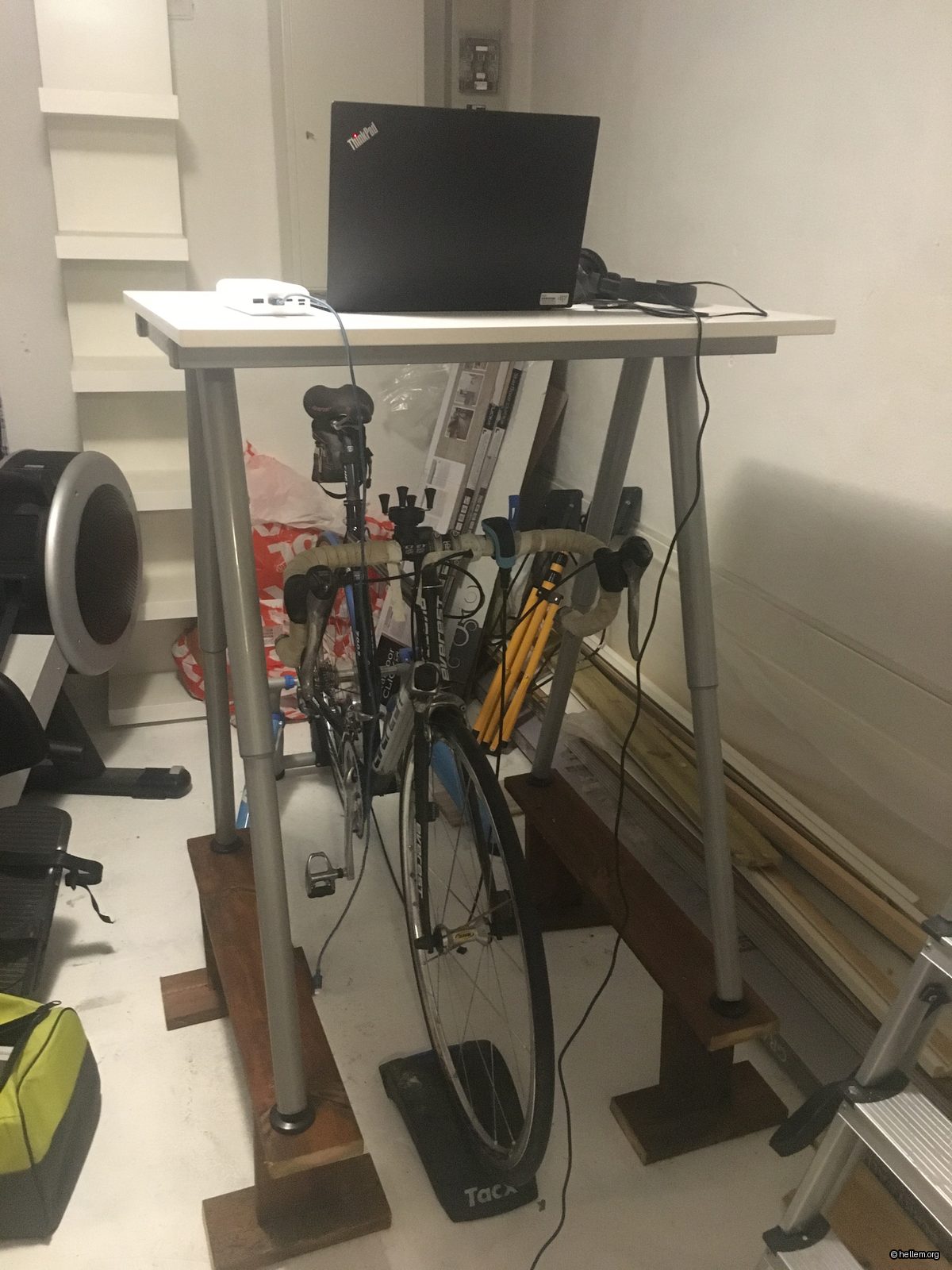
Corona-riggen min
Vi har aktivitetskonkurranse på jobb, og laget mitt SKAL vinne, så jeg har laget meg denne riggen
Is there anybody out there….who can solve my problem?
Seeking help on serverfault.com
Windows – Webserver cannot bind to port 80, but no known processes are using the port
, can you help me?
I’m a Splunk Certified User
Starting my journey to be become a Splunk Certified Admin and also Architecht I am now a Splunk Certified User

Splunk> Finding your faults, just like mom.
Blog down, now up again
My blog had issues today, turned out that my hosting provider had upgraded PHP and that my blog did apparantly not support that version. But I could downgrade the version for my domain on the fly via the admin console. So I did, and voila, all fine again.
Python – gzip has no attribute open
Did try the following
import gzip

f = gzip.open('myfile.gz','rb')
But then got the error
AttributeError: 'module' object has no attribute 'open'
What I really should have done was to read the whole error stack
Traceback (most recent call last):
  File "gzip.py", line 1, in module
    import gzip
  File "d:\test-py\gzip.py", line 13, in
    fileHandler = gzip.open(pathToGzFile)
AttributeError: 'module' object has no attribute 'open'module
While testing I had named my file
gzip.py
causing Python to believe that I meant “import the script I am testing”. Renamed the file to testgzip.py and it all works fine (name can be whatever, but do not name the file the same as a module you are importing)
During this I found a nice way to pretty print (pprint) the attributes of a module/object in Python, see StackOverflow
Blog upgraded to latest version
It has been a while since the last time I did upgrade my blog engine, so it was really needed now. I did struggle trying to find the guidelines for the manual upgrade. Actually, I did not find them, so I decided to try out the automatic upgrade for the first time. And I must say I’m impressed, the whole process took about 2 minutes, upgrading from 6.5.x to now latest stable. Actually, I did now remember that I have tried out the automatic option the last time, but then it did actually fail due to me being a bit to impatient. Things must have been improved a lot since the last time since there was no way I could interrupt things now. So – B2Evolution is still best!